Introduction: You Don't Need to Spend a Dime to Switch Formats
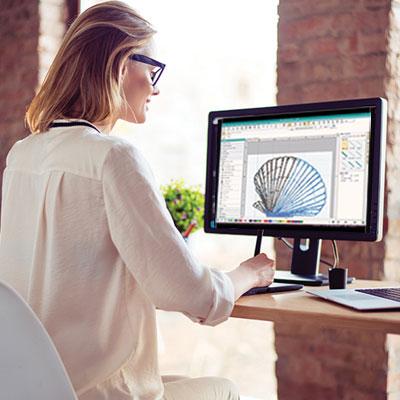
Here is a situation I bet you know well. You find the perfect embroidery design online. You download it, excited to sew it out. Then you realize it is in PES format for your Brother machine, but your new Janome only reads JEF. Or maybe a client sends you a DST file, and your home machine stares back at you like you just spoke a foreign language.
Do not panic. And definitely do not rush out to buy expensive conversion software.
The truth is, you can find amazing free tools that handle this exact problem. I have tested plenty of them, and some work just as well as the paid stuff for basic conversion needs. Let me introduce you to the Best Free Embroidery File Format Converters that actually deliver. No subscriptions, no stitch errors, no headaches.
Why Converting Between Brother and Janome Formats Gets Tricky
Before I share the tools, let me explain why this matters. Brother machines typically use PES or PEC files. Janome machines prefer JEF, SEW, or JPX. These formats store stitch data differently. Some hold color information. Others do not. Some handle complex satin stitches beautifully. Others choke on high-density fills.
The problem is, most free converters online just strip out metadata and spit out a file that barely works. You load it onto your machine, and the colors are wrong, the sizing is off, or worst of all, the machine freezes mid-stitch.
I have been there. It is frustrating. That is why I only recommend converters I have personally used or come highly recommended from the embroidery community.
Desktop Converters That Actually Work
Let me start with the heavy hitters. These install on your computer and give you real control over your files.
StitchBuddy is my top pick for Mac users . This app reads almost everything—Janome JEF, JEF+, JPX, SEW, plus Brother PES, PEC, Tajima DST, Melco EXP, and Pfaff VP3. The export side covers Janome JEF, Brother PES, Melco EXP, Tajima DST, and Pfaff PCS. The free version works for designs under 1,000 stitches, which is perfect for testing small logos or monograms. If you love it, you can unlock the full version with an in-app purchase. The interface feels clean, and the previews show you exactly what you will get before you convert.
For Windows users, Tajima DGML by Pulse Ambassador is a hidden gem no one talks about enough . Pulse Microsystems released this tool completely free. It supports thirteen popular formats and handles resizing and resolution changes. I have used it to convert complex DST files to PES without losing stitch quality. The interface looks a little dated, but the conversion engine is rock solid.
If you want something that runs on literally everything—Windows, Mac, and even Linux—Embroidermodder is your answer . This open-source tool supports DST, PES, JEF, HUS, XXX, EXP, and more. It is completely free, no strings attached. The interface is basic, but for straightforward format conversion, it gets the job done. Plus, because it is open-source, developers keep updating it with new format support.
TrueSizer from Wilcom also deserves a mention here . You need to create a free account to download it, but once you do, you get a professional-grade tool that converts between PES, PEC, DST, EXP, JEF, SEW, HUS, VIP, VP3, and about fifteen other formats. Many quilting and embroidery groups swear by this one. I have tested it on complex designs with multiple color changes, and it preserved everything perfectly.
Mobile Apps for Convert on the Go
Sometimes you are away from your computer and just need to convert one file. Your phone can handle that.
Stitch View & Convert on Android does exactly what the name promises . You open the app, load your design, and export it in your target format. It supports EXP, PEC, PES, PCS, HUS, SHV, SEW, JEF, U01, DST, TAP, VP3, and more. The free version shows a few ads, but they are not intrusive. The best part? The app includes an animation feature so you can watch the stitch order before you sew. That alone has saved me from ruining fabric more times than I can count.
Embroidery Reader is another solid Android option . It focuses more on viewing than converting, but you can share designs as images or convert between supported formats. The interface is simple and fast.
For iPhone users, StitchBuddy offers an iOS companion app that syncs with the desktop version via iCloud Drive . You can view and convert files on your phone, then send them directly to your machine.
Browser-Based Tools: No Download Required
Maybe you do not want to install anything. Maybe you are on a shared computer or a work laptop. Browser-based converters are perfect for those situations.
NeedleKit is a recent find that impressed me . It is completely browser-based. No download, no installation, no account required for basic features. Beyond just converting DST to PES, it includes thread color matching, job costing, inventory management, and a monogram generator. For home embroiderers running a small side business, this is a goldmine. And the file converter works smoothly.
FileProInfo offers online tools specifically for EMB files . If you work with Wilcom EMB files, you can convert, view, edit, merge, and split them right in your browser. The tools work on any device with Chrome, Opera, or Firefox. No registration needed.
What These Free Converters Can and Cannot Do
Let me level with you about the limitations. Free converters excel at moving an existing embroidery file from one format to another. They preserve stitch data, color sequences, and basic design properties.
But they cannot magically fix a poorly digitized file. If your original DST has overlapping stitches or missing underlay, converting it to JEF will not solve those problems. You need digitizing software for that kind of repair.
Also, these free tools do not convert JPG images to embroidery files. That is digitizing, not converting. Do not let anyone tell you otherwise .
For color preservation, stick with formats that store color information, like PES, JEF, HUS, or VP3. If you convert from DST (which stores no color data) to PES, you will need to reassign thread colors manually . The software cannot guess what colors you intended.
My Step-by-Step Conversion Workflow
Here is exactly how I convert files between Brother and Janome formats without errors.
First, I open the original file in my chosen converter. StitchBuddy if I am on Mac, TrueSizer if on Windows. I check the stitch count, dimensions, and color order in the preview.
Second, I select my target format. For Janome, I choose JEF. For Brother, PES. I make sure to keep the original dimensions unless I specifically need to resize.
Third, I export the file and save it with a clear name like "designname_Brother.PES" or "designname_Janome.JEF" so I never confuse them.
Finally, I do a test sew on scrap fabric using the same stabilizer and thread I plan to use for the real project. If anything looks off, I go back and adjust settings before touching the final garment.
This takes maybe five extra minutes. It has saved me hours of frustration.
Quick Format Reference for Brother and Janome
Let me make this easy for you. Brother home embroidery machines typically read PES and PEC files. Some newer models also read DST.
Janome machines read JEF, SEW, and JPX files. JEF is the most common and widely supported.
If someone sends you a file in any other format, use the converters above to change it to your machine's native format before you even load it onto a USB drive.
And remember—always keep your original file. Converted copies are for the machine. The original is your backup.
Conclusion: Free Conversion Is Real, Just Pick the Right Tool
You do not need to spend hundreds of dollars on software just to switch between Brother and Janome formats. The free tools I shared today handle that job perfectly.
StitchBuddy for Mac users. Tajima DGML for Windows. Embroidermodder for open-source fans. TrueSizer for the pro-grade free option. NeedleKit for browser-based convenience. Stitch View & Convert for Android on the go.
Each one has strengths. None of them will ruin your files or charge you a surprise subscription.
So go ahead. Download one. Convert that PES file to JEF. Load it onto your Janome. Sew it out with confidence. Your machine does not care which software created the file—it only cares that the stitches are clean. And with these free converters, they will be.
Now stop reading and go make something beautiful.



 Indonesia
 Arabic
 French
 Spanish
 Portuguese
 Deutsch
 Turkish
 Dutch
Dutch
 Italiano
 Russian
 Romaian
 Portuguese (Brazil)
 Greek
Greek